Remove Strange Table Characters – No Prompts Required
If you're troubled by: 1. Obtrusive watermarks or text on PDFs. 2. Messy words on the posters you find. 3. Strange characters in tables. 4. Graffiti on wallpapers. We can help you with: 1. No need to write prompts. 2. Limited free usage every day. 3. Directly upload photos, use and retrieve them whenever you need.
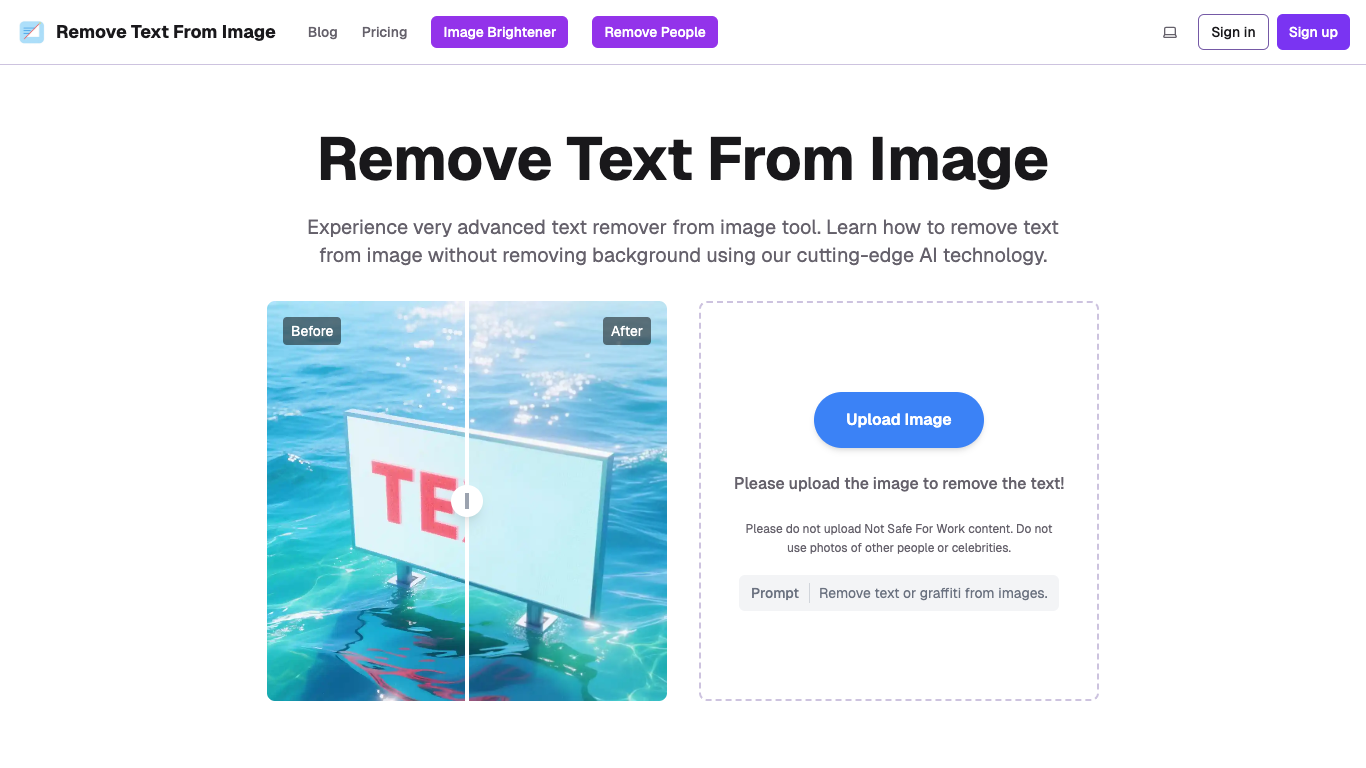
About This Tool
Introduction
What is AI Text Remover?
AI Text Remover is a powerful, web-based tool that leverages cutting-edge artificial intelligence to intelligently detect and erase text from images. It is designed for users who need to clean up photos, graphics, or screenshots by removing watermarks, captions, logos, or any other unwanted text elements.
Core Functionality
The tool's core functionality is based on sophisticated machine learning algorithms. It automatically identifies text regions within an uploaded image and seamlessly reconstructs the underlying background, filling the gaps with matching patterns and textures. This process happens entirely online, requiring no software downloads or complex editing skills.
Purpose and Applications
This service is ideal for a wide range of personal and professional use cases. Users can employ it to prepare clean product images for e-commerce, create uncluttered social media graphics, remove subtitles from screenshots, erase date stamps from personal photos, or clean up any image where text is obstructive, all while maintaining the integrity of the original background.
Features
Advanced AI-Powered Removal
Our tool utilizes state-of-the-art machine learning models trained on vast datasets. This enables it to not only detect text of various fonts, sizes, and orientations but also to understand the context of the surrounding image for intelligent inpainting.
Precision Background Preservation
The standout feature is its ability to remove text without damaging the background. The AI meticulously analyzes the pixels surrounding the text, learning the patterns, colors, and textures to reconstruct the area naturally, leaving no visible traces of the original text.
One-Click, User-Friendly Operation
Designed for simplicity, the process requires just a single click. Users upload their image, and the automated system handles detection, removal, and reconstruction within seconds, delivering a downloadable, cleaned image without any manual editing.
Broad Format Support and Web-Based Access
The tool supports all major image formats, including JPG, PNG, and WEBP. As a fully web-based service, it is accessible from any device with a browser—Windows, Mac, tablets, and smartphones (iOS/Android)—offering true convenience and flexibility.
Flexible Subscription Plans
We offer a tiered service model to suit different needs:
- Free Tier: Allows users to try the tool with a limited number of daily processes.
- One-Time Credits & Subscriptions: For users needing more power, we offer credit packs and monthly plans (Starter, Business) that provide higher processing volumes, priority support, and guaranteed high-quality output without watermarks.
Frequently Asked Questions
How does the AI remove text from an image?
The AI uses machine learning algorithms to first detect the text areas. It then analyzes the surrounding background pixels and intelligently generates content to fill the removed text space, blending it seamlessly with the existing image.
Can it handle text on complex backgrounds like faces or patterns?
Yes. The tool excels at this through context-aware algorithms. It can analyze and reconstruct complex textures, skin tones, and intricate details behind the text, achieving natural-looking results even on challenging backgrounds.
What types of text can it remove?
It is highly effective on printed text, most artistic fonts, and text at angles. It can also attempt to remove handwritten text, though results may vary with extremely messy handwriting that blends into the background.
Are my uploaded images secure and private?
Absolutely. We take privacy seriously. Images are transmitted over an encrypted connection and are permanently deleted from our servers as soon as you refresh the page or upload a new file. Your data is never used for other purposes or shared with third parties.
Can I use the processed images for commercial purposes?
Yes, for paid users. Once you remove text from an image using our paid plans or credits, you gain full ownership of the resulting picture and are free to use it for any personal or commercial projects without restrictions.
How fast is the processing, and is batch processing available?
Processing is extremely fast, typically taking only a few seconds for a standard image. We currently focus on perfecting single-image processing, but a batch processing feature for handling multiple images at once is under active development.

Remove Strange Table Characters – No Prompts Required
Related Tools

An independent research lab exploring new mediums of thought and expanding the imaginative powers of the human species.

Professional AI face swapping website online. Swap any faces in video, GIF and photo with a few clicks. Unleash your creativity with Deepswap now!
Create perfectly optimized content at scale with INK's AI-powered SEO assistant. Boost your marketing and SEO with patented semantic intelligence technology.

Pepper Content is an AI-driven content marketing platform for CMOs, aiding businesses to create top-notch content and track its lifecycle. Streamline your content marketing, and achieve your business goals faster. Book a demo today.